Technology & Automation
Claim.MD Reviews: Pros, Cons, Pricing & Best Alternative
Read our Claim.MD review covering features, pricing, pros, cons, and user feedback, plus when VerifyTreatment may be a b...
Read the full article →


Salesforce works well as a system of record, but most healthcare teams need add-on apps to run admissions, eligibility, and billing. This guide reviews 11 Salesforce apps healthcare organizations use in 2026 to support insurance verification, intake, patient communication, and revenue workflows.
Managing healthcare workflows in Salesforce often means keeping things moving while still getting the details right. Intake can’t slow down, coverage needs to be accurate, and limited staff time puts pressure on every step. When teams rely on multiple portals or manual work, delays and small errors tend to build up.
That’s why many healthcare teams extend Salesforce beyond its core CRM role. Apps for eligibility, intake, scheduling, and patient communication help bring daily operational work into one place, so teams spend less time switching systems and more time moving processes forward.
Below are the best Salesforce apps for healthcare in 2026, so you can review the options and see which ones align with how your team actually works.
We work closely with healthcare teams that run admissions and billing in Salesforce, so we see where eligibility and billing workflows break down in practice.

“Excellent product and staff, from the CEO down to the account executives and business development reps. The product is lightning fast, and so easy to use. In terms of instant verification, there is nothing faster or more comprehensive in my experience. Highly recommend for billing/admissions departments, and billing companies.”
More than 4,000 behavioral health providers use our platform for day-to-day verification and billing support, and that experience informs how we evaluate the tools in this guide.
You can book a free demo today.
| App (Salesforce Integration) | Focus / Key Purpose | Pricing |
| 1. VerifyTreatment | Behavioral health insurance verification & benefits automation (real-time eligibility, discovery, claims) | Contact for pricing (purpose-built for behavioral health) |
| 2. FrontRunnerHC | Patient insurance, demographic & financial data for reimbursement optimization (RCM) | ~$1,900 per month (transaction-based) |
| 3. Cloud Maven “Eligibility Checker” | Real-time medical insurance eligibility & benefits verification within Salesforce | $500 per month (includes 1,600 checks; $0.20 per add’l check) |
| 4. Interlace Health | Digital patient intake forms & e-consent solution integrated with Salesforce (streamlines registration) | $45 per user per month |
| 5. DexCare for Salesforce | Care navigation & scheduling integration – find and book real-time provider appointments in Salesforce | ~$85,000 per year (enterprise-level) |
| 6. Actium Health (CENTARI) | AI-powered CRM intelligence & patient activation (predictive next-best actions for outreach) | $15,000 per month (starting) |
| 7. Lark for Salesforce | AI-driven chronic disease coaching & remote patient monitoring for health plans (24/7 digital care) | ~$8.04 per member per year |
| 8. Cadalys CareIQ | Care management workflow automation on Health Cloud (guidelines-based patient care plans, triage) | ~$1 per member per month |
| 9. Elixir Practice Management (Mirketa) | Salesforce-based EHR & RCM suite for addiction treatment (end-to-end patient management) | $50 per user per month |
| 10. Verifiable | Automated provider credentialing & network monitoring (native Salesforce app for compliance) | ~$30,000 per year (enterprise solution) |
| 11. mPulse for Salesforce | Two-way SMS texting engagement platform integrated with Salesforce (patient outreach via text) | ~$25 per user per month (volume-based) |
Insurance checks should help admissions move forward. Too often, they slow things down instead. Teams get pulled into payer portals, wait on callbacks, or try to interpret partial answers that don’t fully apply to behavioral health intake.
That usually traces back to the tools. Most verification systems were built for general medical billing, not for treatment programs that need clear answers during the first call. By the time coverage is sorted out, the patient may disengage, or billing ends up fixing issues that could have been caught earlier.
VerifyTreatment was designed around those day-to-day realities. It fits how admissions teams actually work, whether you’re on the phone with a prospect, checking benefits after hours, or managing coverage across a large census.

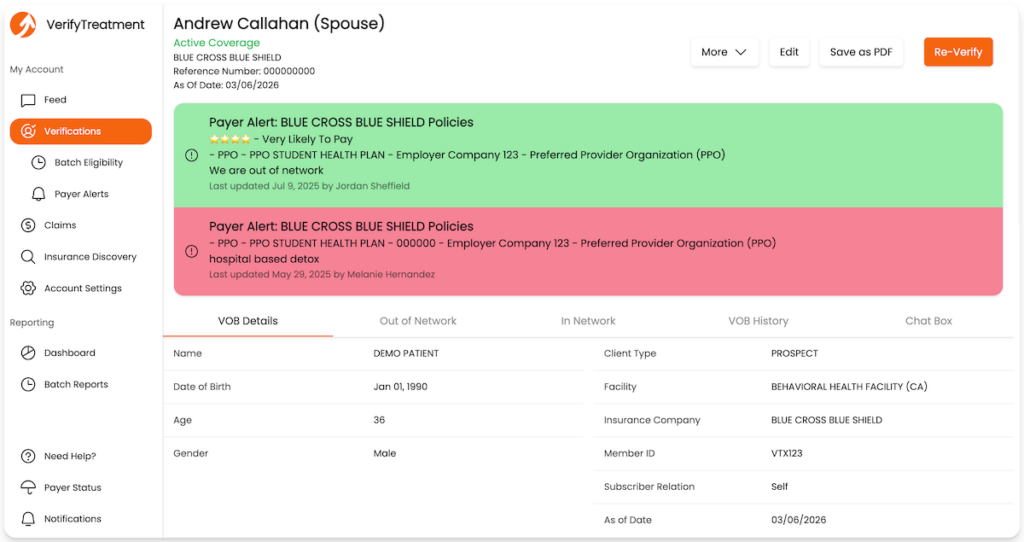
At intake, you get real coverage detail instead of a simple active or inactive result. VerifyTreatment shows plan status, co-pays, deductibles, authorization requirements, and levels of care in seconds, so decisions can happen during the first conversation rather than days later.
Here’s what it does for you:
Because the platform is built for behavioral health, the details line up with real treatment decisions. You can see whether benefits apply to residential care, whether a specific level of care requires authorization, and whether coverage changes later in the stay.

Over time, that clarity changes how teams operate. Admissions can verify benefits while the caller is still on the line. Fewer cases stall because of missing information. Billing sees fewer surprises tied to eligibility gaps that slipped through before.
VerifyTreatment works with your existing systems and doesn’t require a new workflow. You keep doing the work the same way, just with faster answers and clearer coverage.
For teams dealing with complex payer rules or high verification volume, that makes it easier to keep admissions moving and reduce avoidable revenue issues. To find out more, book a free demo today.

FrontRunnerHC helps billing teams keep patient and insurance data accurate before claims are submitted. It’s built for organizations with high claim volume, where small data errors often lead to denials and follow-up work.
You use the platform to validate eligibility, support Medicare and Medicaid plans, and discover missing insurance when records are incomplete. It integrates with Salesforce and other systems so billing teams work from current data instead of fixing issues after the fact. This depth is useful for larger operations, but may be more than a small practice needs.
FrontRunnerHC pricing typically starts around $1,900 per organization per month and varies based on usage and volume.
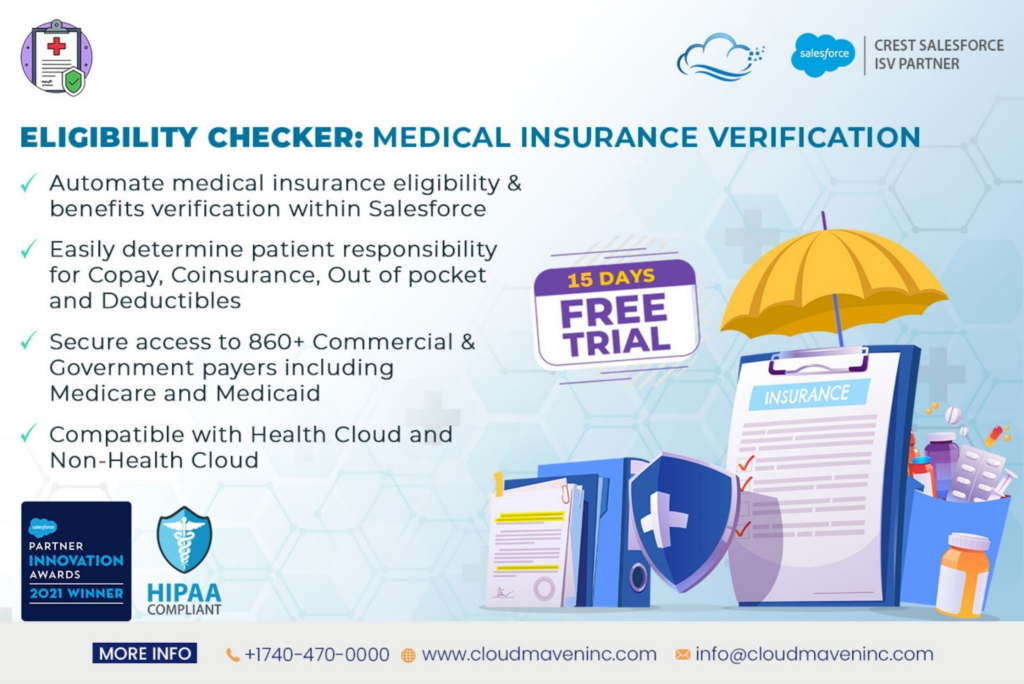
Eligibility Checker is a Salesforce AppExchange app for running insurance eligibility and benefits checks from within the CRM. You can confirm coverage, copays, deductibles, and authorization requirements without leaving the patient record, which reduces portal hopping during intake.
It supports commercial and government payers, including Medicare and Medicaid, and works best when your main need is fast eligibility verification inside Salesforce. Because it focuses narrowly on verification, it fits teams that want speed inside Salesforce but do not need broader billing, claims, or financial visibility.
Eligibility Checker pricing starts around $500 per company per month and includes a set number of verification transactions. Additional checks are billed based on usage.
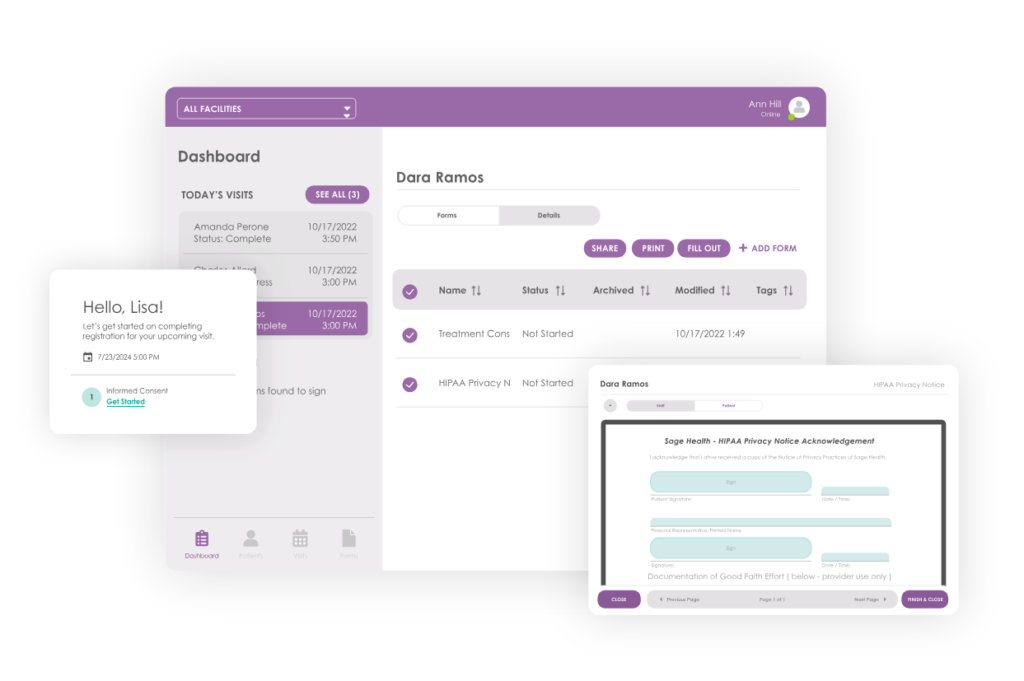
Interlace Health focuses on digitizing patient intake and consent workflows inside Salesforce. You use it to send registration forms, medical histories, and consent documents to patients before they arrive, so information flows into the record without staff re-entering data or scanning paper.
It works well when your intake process involves multiple forms or required signatures. Patients complete paperwork on their own device, and eSignatures attach directly to the record as signed documents. This reduces check-in delays and helps teams stay organized, especially in environments where compliance and documentation matter.
Interlace Health pricing typically starts around $45 per user per month, with final costs depending on deployment scope and use case.
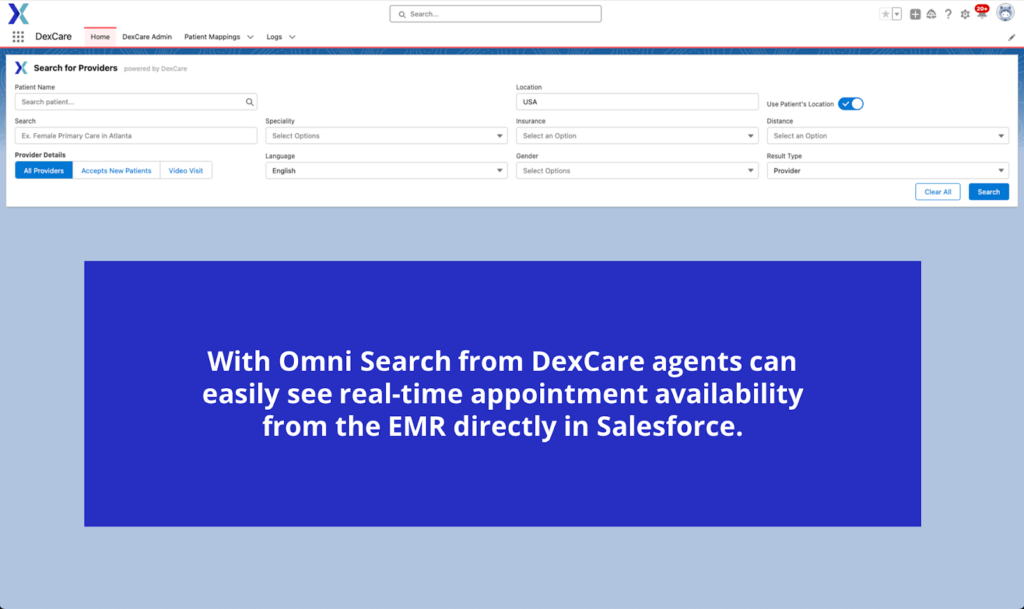
DexCare for Salesforce helps large health systems route patients to the right care option and book appointments from inside Salesforce Health Cloud. Call center teams can see real-time availability across providers and locations, then schedule visits without switching tools. This works best in complex environments where access, referrals, and capacity need active coordination across in-person and virtual care.
DexCare is an enterprise solution, with pricing typically starting around $85,000 per year. Final costs depend on system size, scope, and implementation needs.
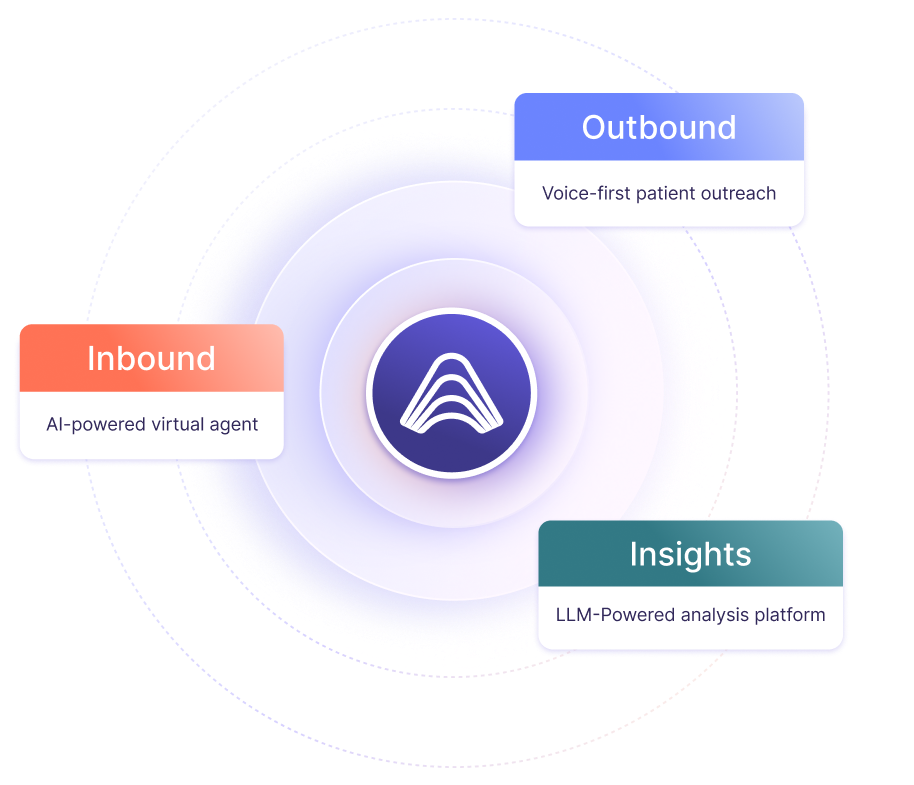
Actium Health’s CENTARI platform focuses on patient outreach and activation using data already in your CRM and EMR. It analyzes patient history, conditions, and engagement patterns to help teams decide who to reach out to next and how. That might mean flagging patients overdue for care or prioritizing outreach based on likelihood to respond, then supporting that outreach through Salesforce.
This approach fits larger organizations that run structured outreach programs and want more signal when deciding where to spend staff time. CENTARI is less about intake or billing workflows and more about driving follow-up, care gap closure, and patient engagement at scale. It works best when you have volume, capacity planning, and dedicated teams managing campaigns.
Actium Health pricing typically starts around $15,000 per month, which includes platform access and supporting services.

Lark is a digital health coaching platform used by health plans and large care organizations to support chronic condition management at scale. Its Salesforce integration surfaces engagement data from AI-led coaching programs directly in the member record, helping care teams track participation without managing day-to-day coaching themselves.
This works best for population health programs where you need ongoing outreach without adding staff. Lark handles routine coaching and check-ins through a mobile experience and escalates to human teams only when needed.
Lark is typically priced per member per year, starting around $8 per member annually.
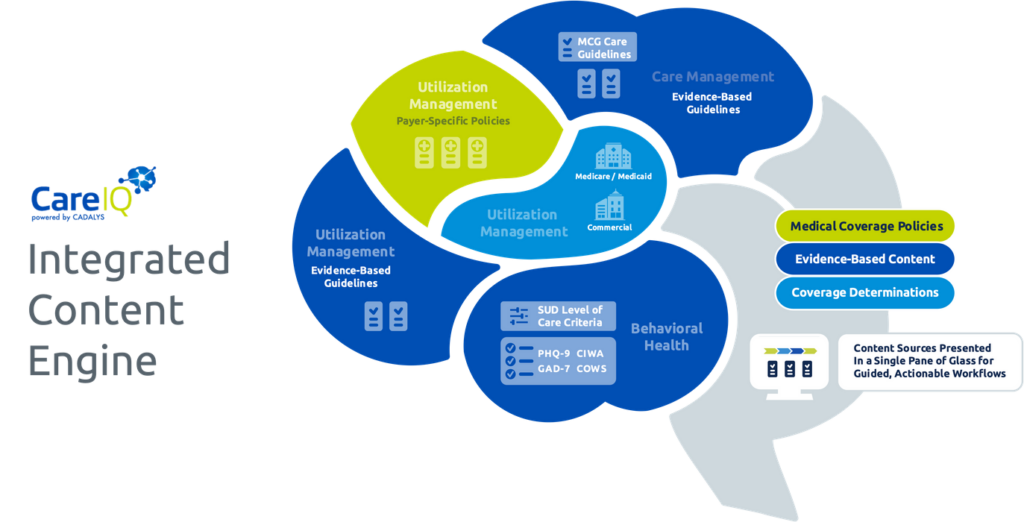
Cadalys CareIQ adds guided care coordination to Salesforce Health Cloud. You use it to turn clinical guidelines and assessments into structured workflows, so follow-ups, reminders, and care steps happen automatically based on patient needs. This helps teams stay consistent without manually tracking who needs what next.
CareIQ works best for organizations running formal care management programs, where scale and consistency matter. It reduces manual coordination and highlights priority cases, but it does require upfront setup to configure pathways and rules. That investment pays off when you need Salesforce to actively guide care, not just store data.
CareIQ pricing typically starts around $1 per member per month, with final costs depending on population size and implementation scope.

Elixir Practice Management Suite is a Salesforce-based EHR and practice management system built for addiction treatment and mental health programs.
You use it to manage the full patient lifecycle in one system, from intake and census management to clinical documentation, billing, and outcomes tracking. Everything lives on Salesforce, so teams work from a shared record instead of juggling separate EHR, CRM, and RCM tools.
This approach fits organizations looking to consolidate systems and standardize workflows across admissions, clinical, and billing teams. Elixir offers depth and flexibility, but it’s not a lightweight add-on. You should expect onboarding and training to get the most value. For programs that want an all-in-one Salesforce foundation rather than point solutions, it can simplify operations and improve visibility.
Elixir pricing typically starts around $50 per user per month, with total cost depending on configuration, modules, and implementation scope.
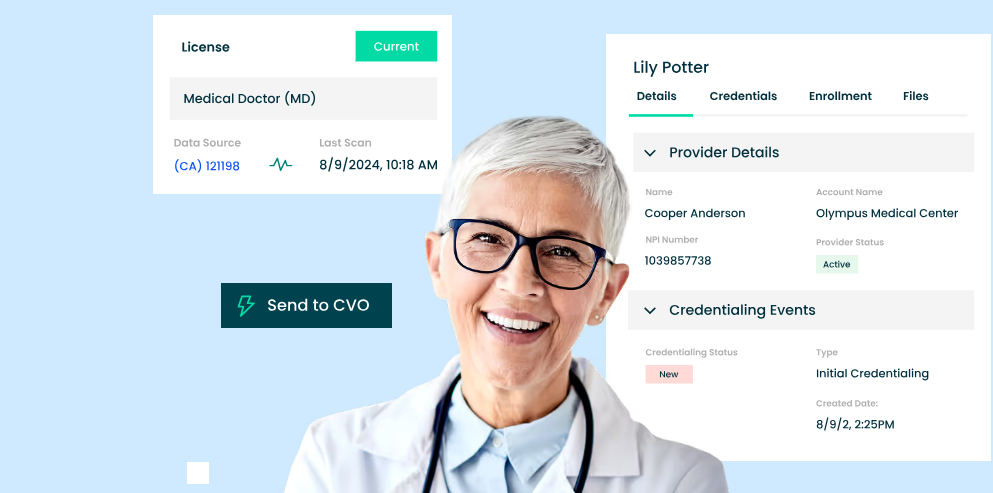
Verifiable focuses on provider credentialing and ongoing compliance, all inside Salesforce. You use it to verify licenses, certifications, and sanctions directly from the CRM, instead of tracking documents and follow-ups manually.
It connects to thousands of primary source databases, so verifications that usually take weeks can be completed much faster and kept current over time. This works best for organizations where credentialing is a constant operational burden, such as multi-state provider groups, health plans, and telehealth networks. V
erifiable includes standards-based workflows and continuous monitoring, which helps teams spot issues like expired licenses before they become compliance problems. For smaller clinics with limited credentialing needs, it may be more than you require.
Verifiable pricing typically starts around $30,000 per year, with total cost depending on network size, volume, and implementation scope.

mPulse brings two-way SMS messaging into Salesforce so your team can communicate with patients directly from the record. You use it for appointment reminders, follow-ups, and simple check-ins without relying on phone calls or email. Messages are sent and received inside Salesforce, and conversations stay logged with the patient or member record.
This works well when engagement between visits matters and response rates are uneven. Texting lets staff reach more people in less time and reduces phone tag, especially for reminders, adherence nudges, or quick questions. mPulse is built for healthcare use and supports compliant messaging, but results depend on having a clear outreach strategy rather than just turning texting on.
mPulse pricing typically starts around $25 per user per month, with final costs varying based on message volume, deployment size, and contract terms.
When insurance checks are slow or unclear, problems show up later in the process. Admissions pause, billing uncovers issues too late, and teams spend time fixing avoidable gaps.
VerifyTreatment runs eligibility checks directly inside Salesforce and keeps monitoring coverage after intake. That helps teams verify benefits during the first call, catch lapses before claims go out, and keep admissions and billing working from the same information.
Teams use VerifyTreatment to:
If you already use Salesforce and want insurance verification to support your workflow instead of slowing it down, the next step is to see it in action.
Book a demo to see how VerifyTreatment works inside Salesforce.
They extend Salesforce to handle workflows like insurance verification, intake, scheduling, and outreach that the core platform doesn’t cover well.
Most are built to meet HIPAA requirements and run on Salesforce’s secure infrastructure, though compliance should always be confirmed.
VerifyTreatment runs insurance checks directly from Salesforce records and keeps results attached for reporting and alerts.
It is built for behavioral health, with deeper benefit detail, insurance discovery, and ongoing coverage monitoring.
They automate routine work so small teams can handle more volume without adding staff.
By surfacing eligibility issues earlier in intake, it helps teams avoid delays and prevent denials tied to coverage gaps.
Disclaimer: All trademarks, logos, and brand names are the property of their respective owners. The use of any third-party trademarks, logos, or brand names in this article is for informational and comparative purposes only, and constitutes nominative fair use. This article was published by VerifyTreatment, and while we strive for objective comparisons, VerifyTreatment is included as an option within this list.





Samantha is a dynamic marketing professional dedicated to making a difference in the behavioral health industry through her work at VerifyTreatment. With a strong background in digital marketing and brand advocacy, she helps elevate the platform’s presence by fostering authentic connections with treatment centers and healthcare providers. Her expertise in content creation and community engagement ensures that VerifyTreatment’s value is communicated effectively, helping centers streamline operations and improve patient care. Samantha’s focus on building trust and driving awareness positions VerifyTreatment as a key resource in the healthcare landscape.

Nicole is a versatile healthcare professional with a Bachelor’s degree in Health Administration and a solid background in managing healthcare systems and operations. Her experience spans healthcare management, compliance, and regulations, making her adept at navigating complex healthcare environments. In addition to her administrative expertise, Nicole holds certifications in Functional Nutrition and Personal Training, giving her a well-rounded perspective on health and wellness. She is committed to using her skills to improve healthcare settings and ensure effective, patient-centered care.

Tara is a dedicated leader who leverages her Master's degree in Information Technology (Florida Tech) and deep company knowledge (since 2018) to drive our community awareness. She is the central figure for managing social engagement and ensuring the community is immediately and effectively informed of all new product launches and company updates.

JoAnn has a strong background in the mental health and substance abuse industry, with expertise in billing, coding, facility credentialing, and contracting. She is passionate about team education and public speaking, always striving to make a positive impact. With a solid foundation in accounting, JoAnn also holds an Associate of Arts in Biblical Studies from Liberty University, blending her professional skills with her personal values.

For 11+ years, Melanie has been dedicated to helping clients access quality mental health care, with a special focus on grief, loss, and substance abuse. With expertise in healthcare, community outreach, patient advocacy, and leadership development, Melanie is passionate about making a positive impact in the lives of others.

Jordan is a dedicated advocate for behavioral health and is passionate about improving sales strategies and business processes. With a focus on helping businesses, particularly in healthcare, Jordan believes that streamlining operations is a way to positively impact more people indirectly. A strong leader, both personally and professionally, Jordan is committed to making a difference in the world by doing good business and serving a higher purpose.