

DME Insurance Verification
Published
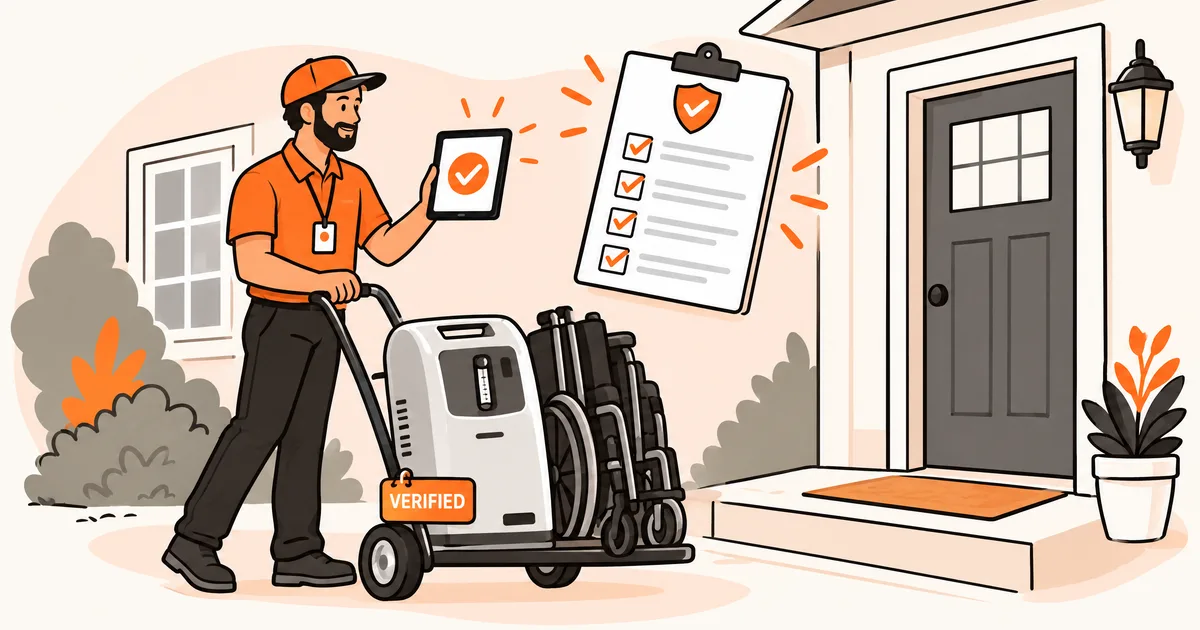
Table Of Contents
Your billing coordinator processes a power wheelchair order. The physician's order looks clean, the patient's Medicare plan is active, and the HCPCS code checks out. But nobody confirmed whether the plan requires prior authorization from a network supplier, and your team isn't contracted with the one the plan picked. The claim gets denied, the patient gets a surprise bill, and your staff spends weeks on an appeal.
That scenario is more common than you'd think. Medicare's own audits found a 24.1% improper payment rate for DME claims in FY 2025. That's nearly four times the 6.6% average across all fee-for-service claims. Most of those errors are documentation and eligibility gaps that someone on your team could have caught before the equipment shipped.
What is DME insurance verification?
When you verify DME insurance, you're confirming that a patient's plan will cover a specific piece of equipment before you deliver it. That means more than checking whether the policy is active. You need to know whether the plan covers that exact item, what the patient will owe, and whether the payer requires prior authorization.
Durable medical equipment includes items like oxygen concentrators, CPAP machines, hospital beds, wheelchairs, and walkers. Medicare defines DME as equipment that can withstand repeated use and has an expected life of at least three years. It has to serve a medical purpose and be appropriate for home use.
Each item has its own HCPCS code. E1390 is a stationary oxygen concentrator, E0601 is a CPAP, and K0001 is a standard wheelchair. Coverage rules vary by code, payer, and plan type, so a verification that worked for one item won't apply to the next.
The verification step sits between the physician's order and equipment delivery. If you skip it, you won't know there's a problem until the claim comes back denied.
What to verify for DME
Plan type is the first thing to check, because everything else depends on it. A patient on Original Medicare, Medicare Advantage, Medicaid, or a commercial plan will face different documentation rules, authorization requirements, and cost-sharing amounts. Medicare Advantage plans have to cover the same DME items as Original Medicare. But they can require prior authorization, limit you to network suppliers, or change what the patient pays. If you don't know the plan type, you can't verify anything else accurately.
Coverage and eligibility
Confirm the patient's policy is active on the planned delivery date and that it covers the specific HCPCS code you're billing. This sounds basic, but a lapsed policy or an uncovered code is one of the fastest ways to lose money on an order you've already fulfilled.
Financial responsibility
Pull the patient's deductible status and find out how much has been met. Check the copay or coinsurance percentage for DME, and look for any separate out-of-pocket maximum for equipment. Your patient deserves to know what they'll owe before the equipment shows up at their door.
Authorization and documentation
Check whether the payer requires prior authorization for this HCPCS code. Medicare's Required Prior Authorization List covers a growing number of codes, and many commercial payers maintain their own lists too.
This is where billing teams tend to skip a critical step. For items on Medicare's required list, the practitioner must have seen the patient within six months before the written order. If your team verifies the order but doesn't check the encounter date, you won't find the problem until the claim comes back denied.
You also need a valid standard written order (SWO) signed and dated by the ordering practitioner. CMS eliminated Certificates of Medical Necessity (CMNs) in January 2023, but many commercial payers and TRICARE still request CMN-style documentation.
Rental and replacement rules
Find out whether the item is covered as a purchase or a rental. Medicare's capped rental program covers most DME monthly for up to 13 months. After 13 continuous months, ownership transfers to the patient. If the patient stops using the equipment for more than 60 consecutive days, a new rental period starts from scratch. Some payers also cap how often you can replace wheelchair cushions, oxygen tubing, or CPAP supplies, so check frequency limits before you schedule delivery.
Step-by-step DME verification workflow
If you follow the same steps in the same order every time, you'll catch problems before the equipment goes out the door.
1. Collect the physician's order and patient information
Start with the signed, dated standard written order from the treating practitioner. You'll also need the patient's insurance card (front and back), date of birth, and the specific HCPCS code for the equipment. If there's a face-to-face encounter requirement, confirm it happened within the six-month window before you go any further.
2. Identify the payer and plan type
Find out whether the patient has Original Medicare, Medicare Advantage, Medicaid, commercial insurance, or a combination. For patients with more than one plan, identify the primary payer first. Billing the wrong one is a denial you won't be able to appeal.
3. Run the eligibility and benefits check
Confirm the policy is active and that it covers DME for the specific HCPCS code. Pull the deductible status, copay or coinsurance amounts, and any out-of-pocket maximums. Check whether the item is covered as a rental or a purchase, and note any frequency limits.
4. Check prior authorization requirements
Review the payer's prior authorization list for the item's HCPCS code. If authorization is required, submit the request with all supporting documentation before delivery. Power mobility devices almost always need it for Medicare, and many commercial payers extend the requirement to CPAPs, hospital beds, and specialty items.
5. Document everything and confirm with the patient
Record your verification results, including the payer representative's name, reference number, and the date of the call or electronic check. Share the patient's expected out-of-pocket cost with them in writing before delivery. Keep all verification records on file for at least seven years per Medicare's retention requirements.
Common challenges and denial reasons
DME claims fail for specific, preventable reasons. If you know what to watch for, you can build checks that catch them early.
Invalid or missing standard written orders. A billing coordinator might have everything else in order. But if the SWO is missing the HCPCS code, the practitioner's signature, or the date, the claim fails. This is one of the most common reasons DME claims get denied on audit. A verbal order alone isn't sufficient for Medicare claims. Check the SWO line by line before you schedule delivery.
No face-to-face encounter on file. Your team might verify everything on the order and still miss this one. For items on Medicare's required list, the encounter must have happened within six months before the written order. If it happened seven months before, the claim fails. This is a small detail, and it's one of the most expensive ones to get wrong.
Medicare Advantage authorization gaps. A patient with a Medicare Advantage plan might look eligible under Original Medicare rules. But the plan could require a separate prior authorization that you didn't obtain, plus network restrictions Original Medicare doesn't have. Always verify against the specific plan.
Rental and "same or similar" conflicts. If a patient already has a similar item under a capped rental period with another supplier, you'll get a denial. Medicare tracks rental periods by beneficiary and HCPCS code. If you bill for the same code while another supplier's rental is still active, the claim gets rejected automatically. Ask about existing equipment before you start the order.
Payer-specific carve-outs. You might verify a patient's coverage and find everything looks good, only to discover that a separate administrator handles the DME benefit. That administrator has its own authorization process, supplier network, and fee schedule. If you miss the carve-out, you're submitting to the wrong payer entirely, and that claim isn't getting paid.
Manual vs. automated DME verification
Manual verification means logging into payer portals, calling insurance reps, and recording results in spreadsheets or your EHR. If you're running five or ten orders a week, that's manageable. Your team knows the payers, they know the codes, and they can keep track without much trouble.
At fifty or a hundred orders a week, it's a different story. A single manual verification can take 15 to 20 minutes when you factor in hold times, portal navigation, and data entry. Multiply that across your full order volume, and you're looking at one or more full-time staff doing nothing but checking eligibility. That's expensive, and the repetitive work wears people out.
Automated verification platforms connect to payer databases directly and return coverage status, deductible information, copay amounts, and authorization requirements in seconds.
VerifyTreatment (VerifyTX) checks eligibility in real time, with coverage across 1,800+ payers. You get DME-specific benefits data back in seconds, including rental cap status, copay and coinsurance amounts, and coordination of benefits. The Coverage Discovery feature locates active policies even when patient information is incomplete. That's common when patients switch from Original Medicare to a Medicare Advantage plan mid-year.
Your team can also run batch verifications across your full patient census automatically. VerifyTX flags lapsed policies and coverage changes before they become denied claims. If you're managing ongoing rental agreements, that's what keeps a 13-month rental period from turning into an uncovered gap.
Get started with VerifyTX
Book a demo with VerifyTX if your team is still verifying eligibility by hand. Automated checks cut your denial rate and give your billing staff their hours back.
FAQs
What's the difference between DME eligibility and benefits verification?
Eligibility verification confirms that a patient's insurance policy is active on a given date. Benefits verification goes deeper. It tells you whether the plan covers the specific DME item and what the patient's cost share will be. It also shows whether prior authorization is required and whether the item is covered as a rental or a purchase. You need both before you deliver equipment.
Does Medicare require prior authorization for all DME items?
No. Medicare maintains a Required Prior Authorization List of specific HCPCS codes that need approval before delivery. Power mobility devices are on that list, along with a growing number of other items. For codes that aren't on the list, you'll still need a valid standard written order and supporting documentation. But you won't need to wait for prior authorization before delivering the equipment.
How long does a DME capped rental period last under Medicare?
Medicare's capped rental program runs for 13 continuous months. The supplier bills monthly, and after the 13th payment, ownership transfers to the patient. If the patient stops using the item for more than 60 consecutive days, the rental period resets and you'd start over. Oxygen equipment follows a different schedule with a 36-month rental cap.
Do Medicare Advantage plans cover the same DME as Original Medicare?
They have to cover the same items, but they can apply their own rules for how you get that coverage. That includes requiring prior authorization, limiting you to network suppliers, requiring specific brands, or applying different copay and coinsurance amounts. Always verify DME benefits against the specific plan, not against Original Medicare guidelines.

Luis Perdomo, Head of Growth, leads go-to-market strategy, demand generation, and growth initiatives at VerifyTreatment. With a background spanning digital marketing, revenue growth, and business strategy, he focuses on connecting the platform’s capabilities to the real operational challenges facing behavioral health providers, helping teams improve admissions, strengthen revenue performance, and make faster, more informed decisions.
Meet the TeamRelated post:
 Admissions
Insurance Verification for Physical Therapy: What PT Clinics Need to Check Before Every Visit
Eligibility problems are behind roughly one in eight denied PT claims. The fix is verifying every patient's therapy...
Read the full article → Revenue Cycle
10 Best Denial Management Software in 2026
Compare the 10 best denial management software platforms for 2026, including tools for denial prevention, appeals, under...
Read the full article → Admissions
How to Verify Insurance Eligibility in Real Time and Why It Matters
Real-time insurance eligibility verification helps healthcare providers confirm coverage and benefits faster, reduce man...
Read the full article →