Technology & Automation
Claim.MD Reviews: Pros, Cons, Pricing & Best Alternative
Read our Claim.MD review covering features, pricing, pros, cons, and user feedback, plus when VerifyTreatment may be a b...
Read the full article →


RCM software helps you manage how revenue moves from intake to payment, but each tool solves a different part of the process. Some handle verification and front-end accuracy, others manage claims, automate workflows, or improve visibility into collections. The right choice depends on where your current system breaks down and what needs fixing first.
| Software | Best For |
| VerifyTreatment | Front-end revenue cycle tasks like verification, intake, and authorization |
| Waystar | Claims processing, denial management, and payer workflows at scale |
| athenahealth | Managing the full revenue cycle alongside clinical workflows |
These challenges usually signal that your revenue cycle processes can’t keep up with your workflow. What once felt manageable becomes fragmented, inefficient, and harder to track as volume grows.
RCM software helps restore structure by streamlining verification, billing, collections, and reporting. But not all solutions are built the same. Some manage the full cycle, while others focus on specific stages where inefficiencies tend to surface first.
In this guide, we break down the top RCM software options and how to choose the right one based on how your operations actually run.
At VerifyTreatment, we work directly within the revenue cycle—from verification and intake to billing—seeing where workflows break and revenue is lost before claims are even submitted.
For example, with Foundation Recovery Network, we reduced admissions delays, improved team coordination, and helped recover over $10,000 per month in lost revenue.
This guide is shaped by real workflow challenges, not just feature comparisons.

Great Product, Ease of Use, Added Efficiency for Our Team. Automating and bringing in health insurance verifications to our instance was a game changer. We have instant verifications for all of our prospects, as well as automated verifications for our clients on a weekly basis.
Choosing the right RCM software depends on how your revenue cycle actually runs, and where it breaks.
Identify where delays or errors occur—whether in verification, claims, or follow-ups—and choose a tool that targets that stage instead of trying to fix everything at once.
Some platforms require process changes, others integrate into what you already use. If you have an EHR or billing system, prioritize compatibility. If your setup is fragmented, consider an all-in-one solution.
Choose whether you want full control or less operational burden. Some tools support your team, while others handle parts of the process for you.
Many issues start before billing—during eligibility, authorization, and intake. If that’s your weak point, prioritize tools that improve visibility and control early in the cycle.
Lower-cost tools may create more manual work. Focus on how much revenue the software helps recover or protect—better outcomes often justify higher pricing.
To make your decision easier, this comparison table provides a clear, side-by-side view of how each solution supports different stages of the revenue cycle. Use it to quickly identify the options that best align with your workflow, priorities, and operational needs.
| Software | Type | Key Strength | Best For |
| VerifyTreatment | Front-end RCM | Real-time verification and early revenue protection | Fixing verification, intake, and authorization gaps |
| Waystar | Claims / clearinghouse | Scalable claims processing and denial management | High-volume claims and payer workflows |
| athenahealth | All-in-one (EHR + RCM) | Unified clinical and billing workflows | Practices wanting a single system |
| Availity | Network / clearinghouse | Strong payer connectivity and eligibility workflows | Managing multiple payers |
| AdvancedMD | All-in-one | Billing and workflow management | Growing practices handling billing |
| PracticeSuite | Billing + practice management | Revenue tracking and workflow control | Scaling billing operations |
| Tebra | All-in-one (SMB) | Simple workflows and easy onboarding | Small or independent practices |
| AKASA | AI automation | Automates coding, claims, and workflows | Reducing manual workload |
| CollaborateMD | Billing / claims | Claims execution and denial resolution | Efficient billing teams |
| CareCloud | RCM + analytics | Financial visibility and performance tracking | Improving collections and cash flow |
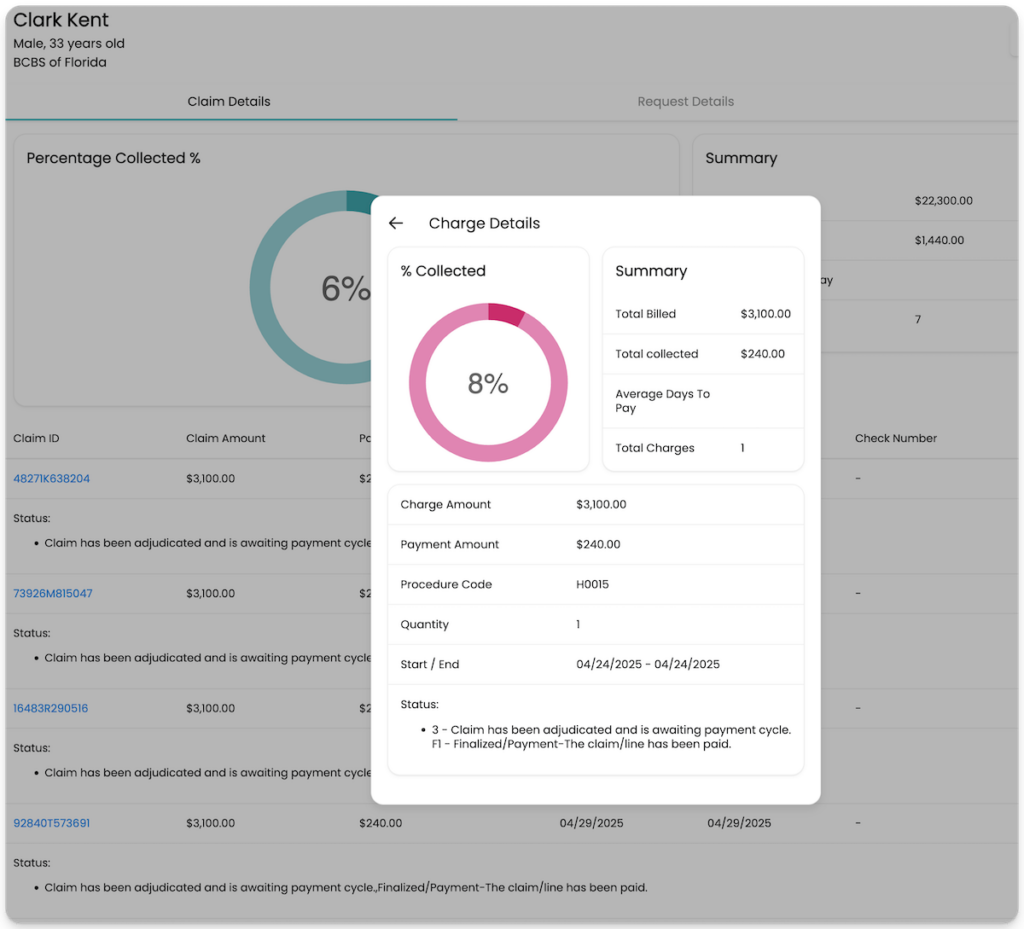
VerifyTreatment focuses on the part of the revenue cycle where many issues begin but often go unnoticed which include, verification, intake, and authorization.
Many revenue problems don’t start at billing. They start earlier, when coverage details, authorization requirements, or payer rules aren’t fully confirmed. VerifyTreatment helps teams handle that stage with more accuracy, so fewer issues carry over into claims, delays, or lost revenue.
Subscription-based, varies by usage and organization size
Teams looking to reduce errors, delays, and revenue loss at the earliest stage of the revenue cycle
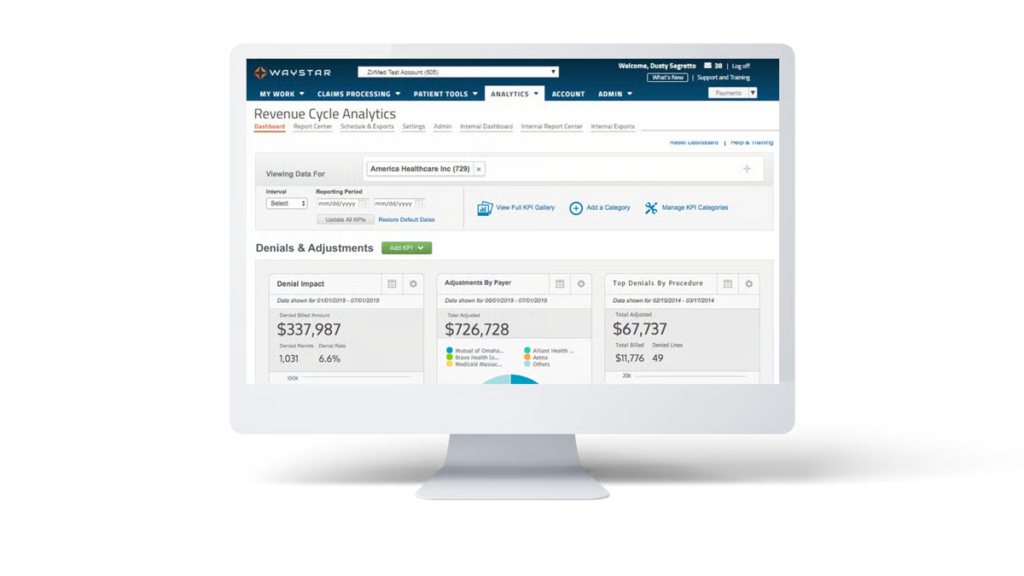
Waystar acts as a central point for managing payer interactions, giving teams visibility into eligibility, claim status, remittances, and denials without relying on multiple payer portals. That level of consolidation helps reduce friction across the billing process and keeps workflows moving more consistently.
With it’s automation capabilities, you can identify errors before submission, prioritize follow-ups, and streamline how claims are handled at scale. Check our WayStar review here.
Typically volume-based or transaction-based, depending on claims and usage
Organizations that need tighter control over claims processing, denials, and payer interactions at scale
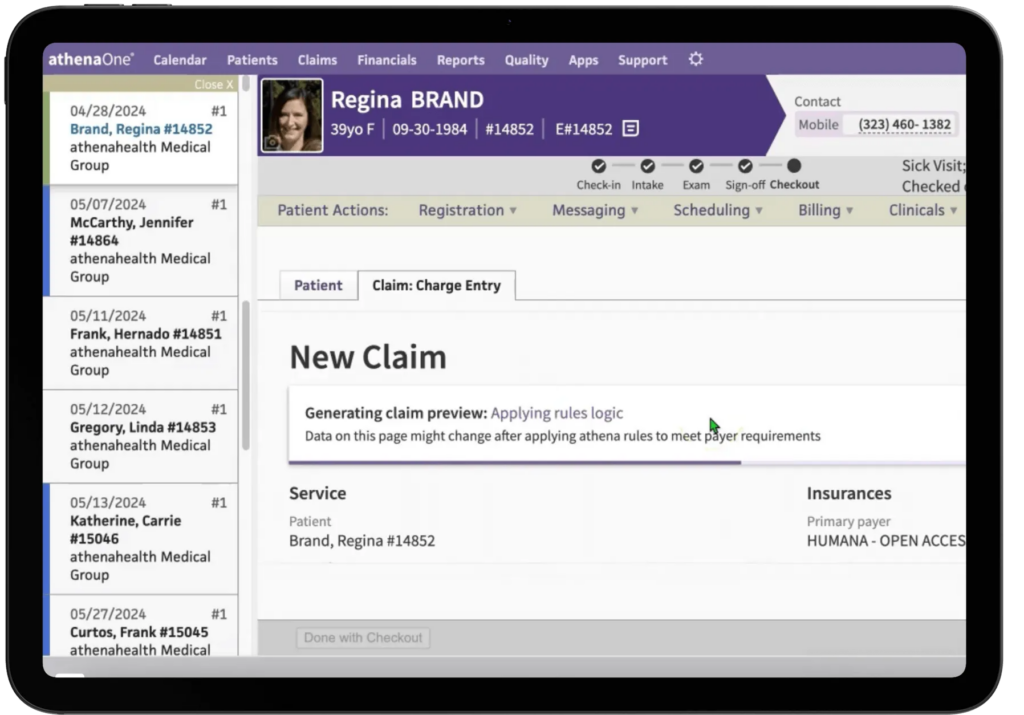
athenahealth handles the revenue cycle as part of a fully connected system, where scheduling, documentation, billing, and payments all work together.
Typically 3–7% of collections, with optional add-ons depending on services
Practices that want a single system to manage both clinical operations and the full revenue cycle
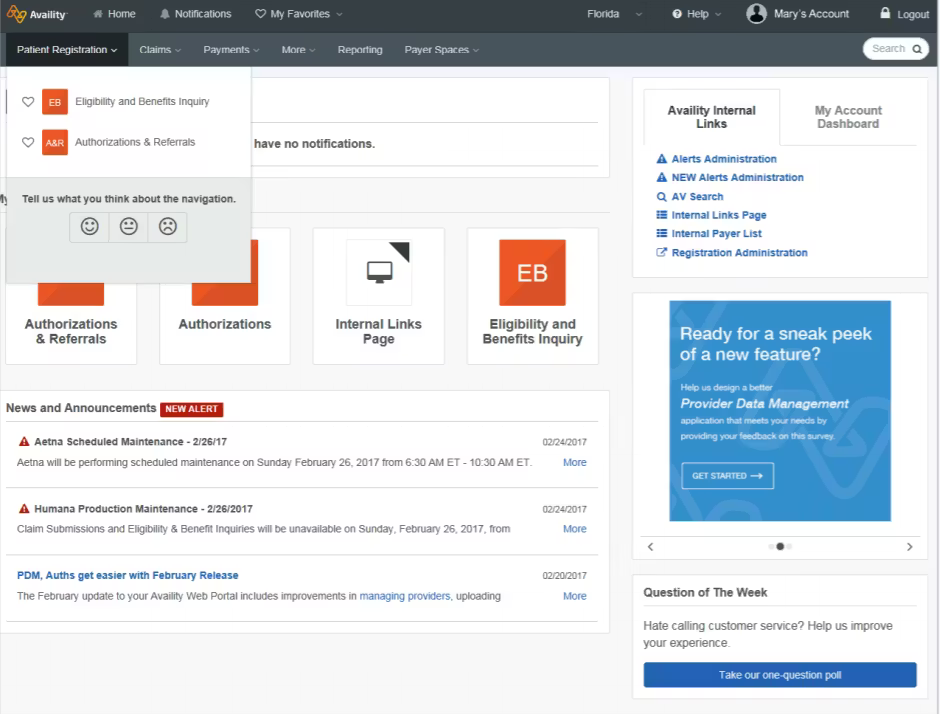
Availity sits in the middle of how providers and payers exchange information, acting as the connection point for eligibility checks, claims, authorizations, and payments. Check out our Availity review here.
Free for basic use, with additional costs for advanced features and integrations
Organizations that need a centralized way to connect with multiple payers and streamline eligibility, claims, and authorization workflows
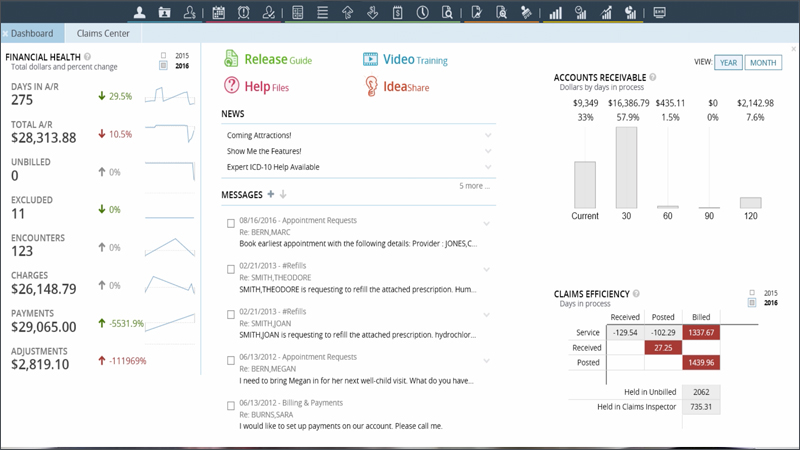
AdvancedMD fits into the revenue cycle as a system that helps teams manage the day-to-day flow of patients, billing, and payments without jumping between tools.
From scheduling and intake to charge capture and claims, everything moves through one connected workflow.
$130–$1,070 per provider/month depending on specialty, with RCM services typically 4–8% of collections
Practices that want a structured way to manage daily billing and patient workflows without relying on multiple systems
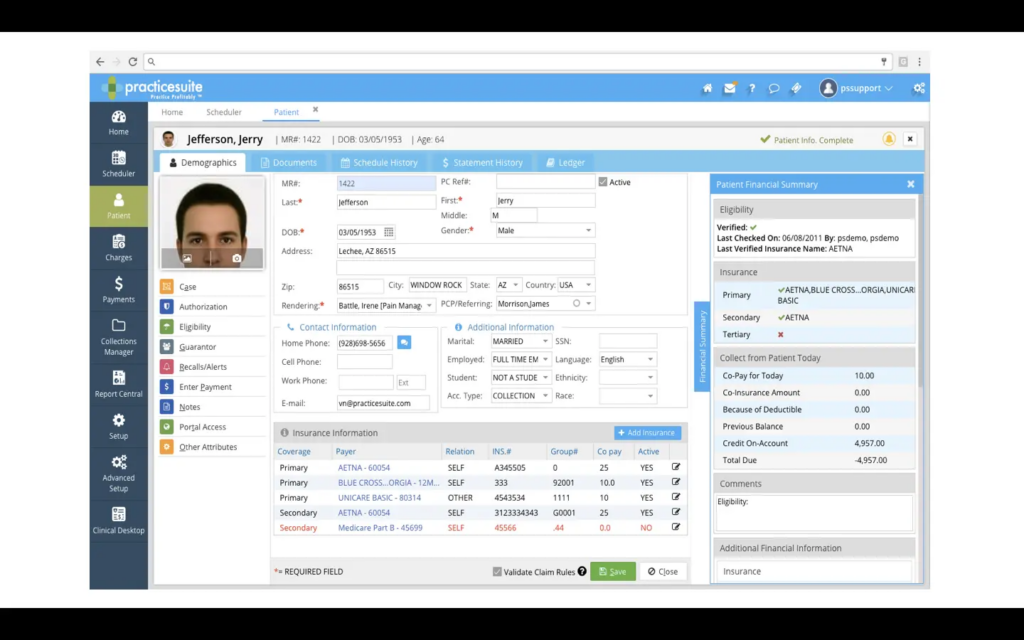
PracticeSuite combines scheduling, EHR, billing, and reporting into a single platform, giving teams visibility into how patients move from appointment to payment. This makes it easier to track claims, monitor performance, and stay on top of collections without relying on separate tools.
Custom pricing based on modules and usage (typically quoted per provider or organization)
Practices and billing teams that want stronger control over billing workflows while keeping operations connected in one system

Tebra gives practices a simpler way to manage billing, patient care, and daily operations without juggling multiple systems.
It combines EHR, billing, scheduling, and patient engagement into one platform, allowing teams to move from documentation to claims and payments without switching tools.
Custom pricing, typically subscription-based depending on features and practice size
Independent or small practices looking for an easy-to-use, all-in-one system to manage billing, patients, and daily operations
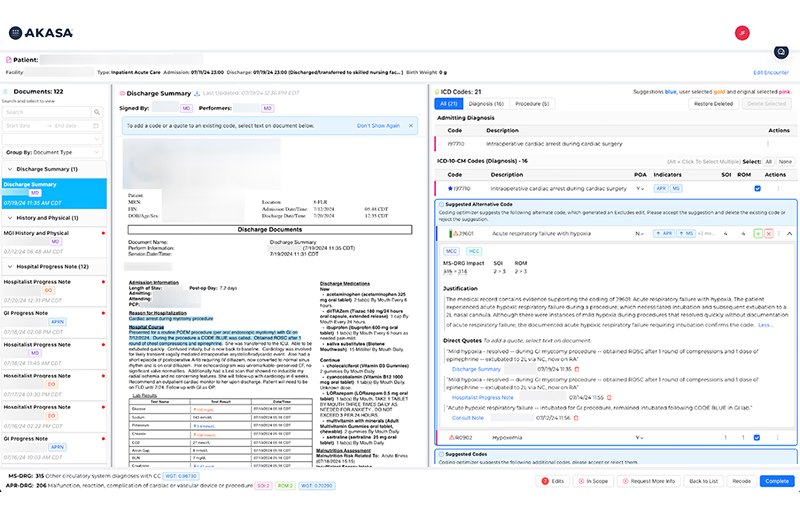
AKASA focuses on automating the parts of the revenue cycle that usually require the most manual effort, using generative AI trained on clinical and financial data.
It works alongside existing systems, handling tasks like coding, documentation review, claim status checks, and authorization tracking without requiring teams to manage each step manually.
Custom, typically enterprise-level and based on scope, volume, and expected ROI
Organizations looking to automate revenue cycle tasks and reduce manual effort using AI
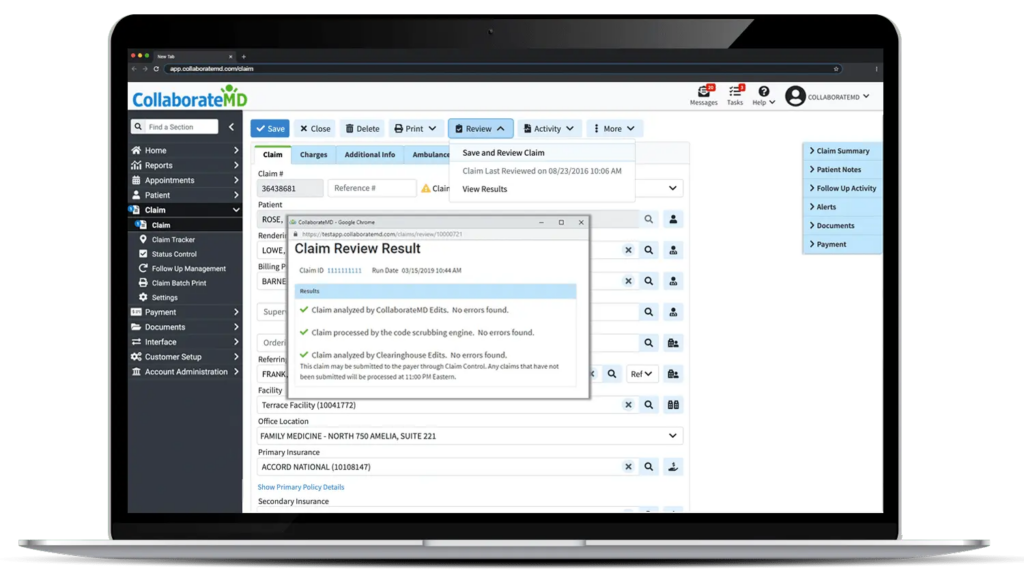
CollaborateMD handles the core of the revenue cycle where claims are created, processed, and followed through to payment.
Custom pricing based on usage, typically structured for practices and billing companies
Billing teams and practices that want a focused system for managing claims, payments, and denial workflows efficiently
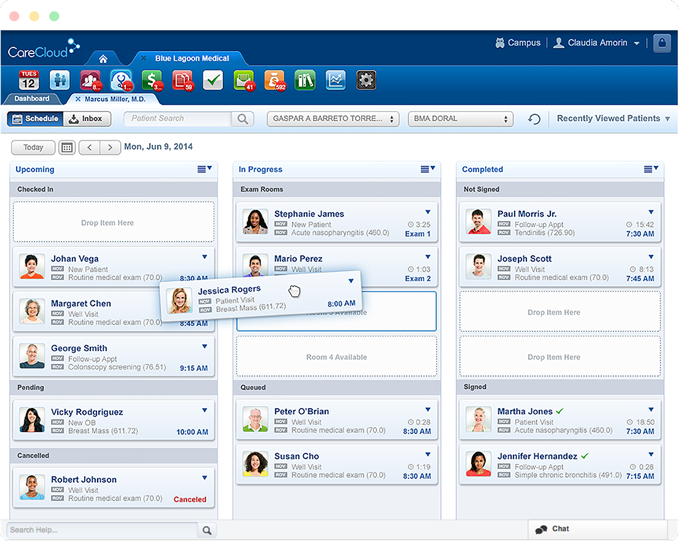
CareCloud focuses on the financial side of the revenue cycle, giving teams clearer visibility into how revenue moves from patient intake to final payment.
Typically starts around $600+ per provider/month depending on features and services selected
Practices that want deeper insight into their revenue cycle and better control over collections, denials, and financial performance
RCM software works best when it solves the part of the process that’s actually slowing you down.
Some tools in this list improve claims handling. Others help with reporting or reduce manual work. But in many cases, the issue starts earlier, where gaps in verification, intake, or authorization lead to delays, denials, and lost revenue.
Fixing that stage changes everything that follows. If that’s where your challenges are coming from, it makes sense to start there.
Get started with VerifyTreatment to strengthen your front-end workflows and protect your revenue before it reaches billing.
RCM (Revenue Cycle Management) software helps businesses track and manage how revenue moves from the first customer interaction through billing, payments, and collections. In healthcare, this includes steps like insurance verification, claims submission, and reimbursement.
No, RCM software exists in other industries, but it’s most widely used in healthcare because of the complexity involved in insurance, billing, and reimbursement workflows.
Billing software handles invoicing and payments. RCM software covers a wider process, starting earlier with verification or data capture and continuing through claims, collections, and reporting.
Pricing varies depending on the type of tool. Some charge a percentage of collections (typically 3–8%), while others use a per-provider monthly fee or custom enterprise pricing. Simpler tools may be free or low-cost, while advanced systems cost more based on features and volume.
Most RCM software fixes denials after they happen. VerifyTreatment stops them at intake by automating real-time eligibility and coverage verification.
Schedule a workflow audit to see how we catch the verification gaps that other RCM systems miss.Disclaimer: All trademarks, logos, and brand names are the property of their respective owners. The use of any third-party trademarks, logos, or brand names in this article is for informational and comparative purposes only, and constitutes nominative fair use. This article was published by VerifyTreatment, and while we strive for objective comparisons, VerifyTreatment is included as an option within this list.


Samantha is a dynamic marketing professional dedicated to making a difference in the behavioral health industry through her work at VerifyTreatment. With a strong background in digital marketing and brand advocacy, she helps elevate the platform’s presence by fostering authentic connections with treatment centers and healthcare providers. Her expertise in content creation and community engagement ensures that VerifyTreatment’s value is communicated effectively, helping centers streamline operations and improve patient care. Samantha’s focus on building trust and driving awareness positions VerifyTreatment as a key resource in the healthcare landscape.

Nicole is a versatile healthcare professional with a Bachelor’s degree in Health Administration and a solid background in managing healthcare systems and operations. Her experience spans healthcare management, compliance, and regulations, making her adept at navigating complex healthcare environments. In addition to her administrative expertise, Nicole holds certifications in Functional Nutrition and Personal Training, giving her a well-rounded perspective on health and wellness. She is committed to using her skills to improve healthcare settings and ensure effective, patient-centered care.

Tara is a dedicated leader who leverages her Master's degree in Information Technology (Florida Tech) and deep company knowledge (since 2018) to drive our community awareness. She is the central figure for managing social engagement and ensuring the community is immediately and effectively informed of all new product launches and company updates.

JoAnn has a strong background in the mental health and substance abuse industry, with expertise in billing, coding, facility credentialing, and contracting. She is passionate about team education and public speaking, always striving to make a positive impact. With a solid foundation in accounting, JoAnn also holds an Associate of Arts in Biblical Studies from Liberty University, blending her professional skills with her personal values.

For 11+ years, Melanie has been dedicated to helping clients access quality mental health care, with a special focus on grief, loss, and substance abuse. With expertise in healthcare, community outreach, patient advocacy, and leadership development, Melanie is passionate about making a positive impact in the lives of others.

Jordan is a dedicated advocate for behavioral health and is passionate about improving sales strategies and business processes. With a focus on helping businesses, particularly in healthcare, Jordan believes that streamlining operations is a way to positively impact more people indirectly. A strong leader, both personally and professionally, Jordan is committed to making a difference in the world by doing good business and serving a higher purpose.