

10 Best Healthcare RCM Software in 2026
Published Updated
Table Of Contents
Quick Summary
Choosing the right healthcare RCM software comes down to where your revenue cycle is breaking. In this guide, we compare the 10 best RCM tools, from all-in-one systems like athenahealth to specialized solutions like VerifyTreatment, so you can find the right fit for your workflow and improve how your practice gets paid.
Shortlist
| Software | Best For |
|---|---|
| VerifyTreatment | Front-end revenue optimization and insurance verification |
| athenahealth | All-in-one clinical, billing, and practice management system |
| Waystar | Claims management, denial reduction, and payer workflows at scale |
Trying to Choose the Right Healthcare RCM Software for Your Practice?
The search usually starts when something stops working. This could be rising denials, inefficient billing workflows, expensive systems that fall short, or tools you’ve outgrown.
Whichever the case, the next system you choose needs to be the right one.
We’ve put together this list of the best healthcare RCM software to help you make that decision, so you can find a platform that fits your workflow, improves collections, and actually delivers when it comes to getting you paid.
Why Trust Us
At VerifyTreatment, we help healthcare organizations improve their revenue cycle—from intake and verification to billing and collections.
In our work with Foundation Recovery Network, we reduced admission delays, streamlined front-end processes, and prevented the loss of about 1 in 10 patients—recovering over $10,000 monthly.
That hands-on experience shapes how we evaluate RCM tools—based on real-world performance.
Great Product, Ease of Use, Added Efficiency for Our Team. Automating and bringing in health insurance verifications to our instance was a game changer. We have instant verifications for all of our prospects, as well as automated verifications for our clients on a weekly basis.
 Sam StaplesDirector of Business Applications
How to Select the Right Healthcare RCM Software
Choosing the right RCM software starts with understanding your actual needs.
1. Define the Software’s Role
Some practices need an all-in-one system for intake through billing, while others only need RCM tools alongside an existing EHR. Choose based on your current setup and integration needs.
2. Decide on Billing Control
Some platforms handle billing for you, while others give you full control. If you want less operational work, go managed. If you have a billing team, choose a system you can run in-house.
3. Pinpoint Revenue Gaps
Identify where you’re losing revenue—denials, delays, or poor follow-up—and choose software that directly addresses that weakness.
4. Balance Cost with Results
Cheaper tools may require more manual work. Focus on how much revenue a platform helps you recover, not just its price.
5. Plan for Growth
Choose a system that can scale with your volume, support multiple providers, and integrate smoothly with your existing tools.
10 Best Healthcare RCM Software Solutions
Let’s make this easier.
Here’s a breakdown of the best healthcare RCM software and what each one is actually best for, so you can quickly identify which tools fit your setup.
| Software | Best For | Type | Key Strength |
|---|---|---|---|
| VerifyTreatment | Front-end revenue optimization | Specialized RCM | Prevents denials before billing starts |
| athenahealth | All-in-one practice management | EHR + RCM | Fully integrated clinical + billing workflows |
| Waystar | Claims & payment workflows at scale | RCM / Clearinghouse | Strong denial management & payer connectivity |
| AdvancedMD | Flexible billing workflows | All-in-one | In-house or outsourced billing flexibility |
| Office Ally | Low-cost billing & claims | Standalone / Clearinghouse | Simple, reliable, budget-friendly |
| Availity | Payer connectivity & eligibility | Network / Clearinghouse | Centralized access to multiple payers |
| NextGen Healthcare | Complex, multi-specialty practices | EHR + RCM | Highly customizable workflows |
| CareCloud | Financial visibility & analytics | RCM Platform | Revenue insights + performance tracking |
| AKASA | AI-driven automation | AI RCM Layer | Automates coding, documentation, workflows |
| eClinicalWorks | Flexible all-in-one system | EHR + RCM | End-to-end workflows with AI features |
1. VerifyTreatment
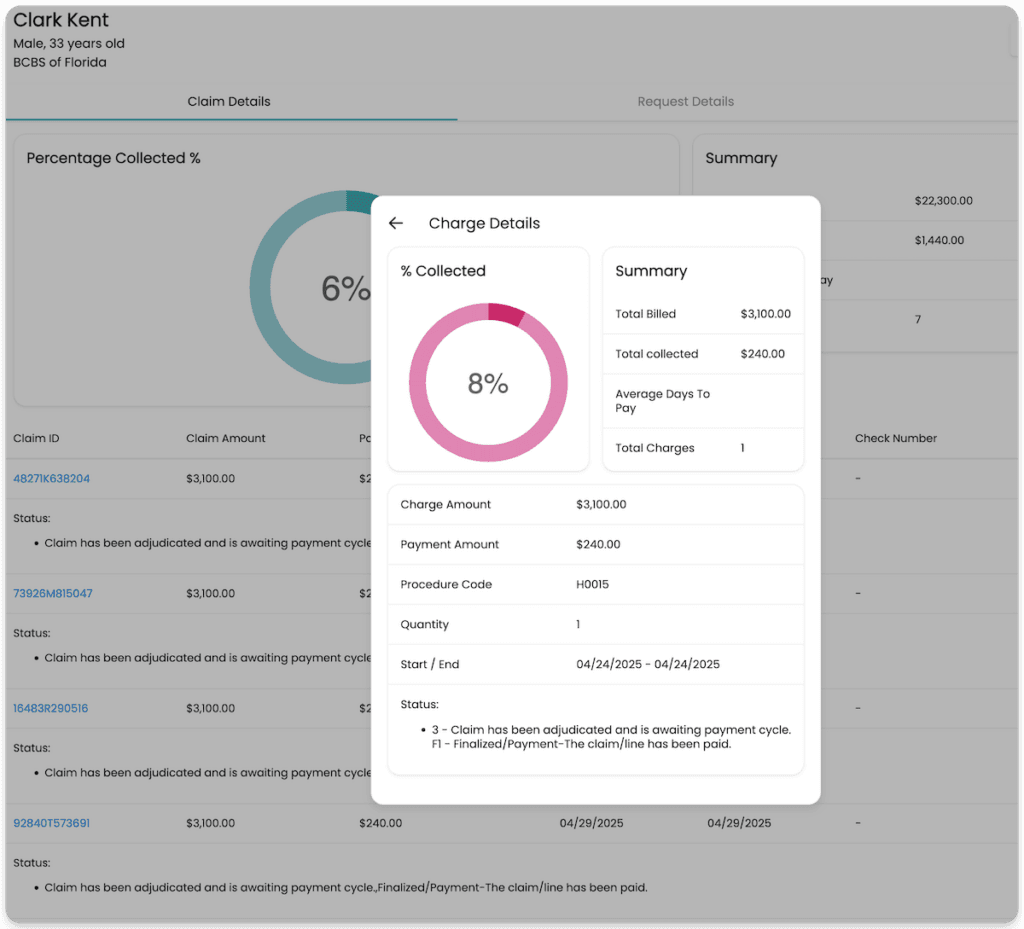
VerifyTreatment is built to fix one of the most expensive gaps in the revenue cycle: incomplete or inaccurate insurance verification before a patient is admitted.
Instead of relying on manual checks or basic yes/no eligibility tools, it gives your admissions and RCM teams real-time access to coverage details, authorization requirements, and payer-specific rules, so you’re not admitting patients on assumptions that later turn into denied claims.
Key Features
- Real-time eligibility and coverage verification across 1,800+ payers
- Batch verification for full census monitoring
- Payer alerts to flag high-risk plans and authorization issues
- Coverage discovery to uncover hidden or secondary policies
- Built-in team collaboration and shared verification workflows
- CRM and API integrations for seamless workflow integration
Pros
- Prevents denials before claims are created
- Speeds up admissions and reduces lost opportunities
- Improves coordination across admissions, billing, and clinical teams
- Strong fit for behavioral health and complex verification workflows
Cons
- Not a full end-to-end billing platform
- Best used alongside an existing EHR or RCM system
Pricing
Custom subscription, based on volume, integrations, and team size; typically ROI-driven rather than per-claim.
Best For
Behavioral health providers and healthcare organizations looking to reduce denials, speed up admissions, and protect revenue at the front end of the revenue cycle
2. athenahealth
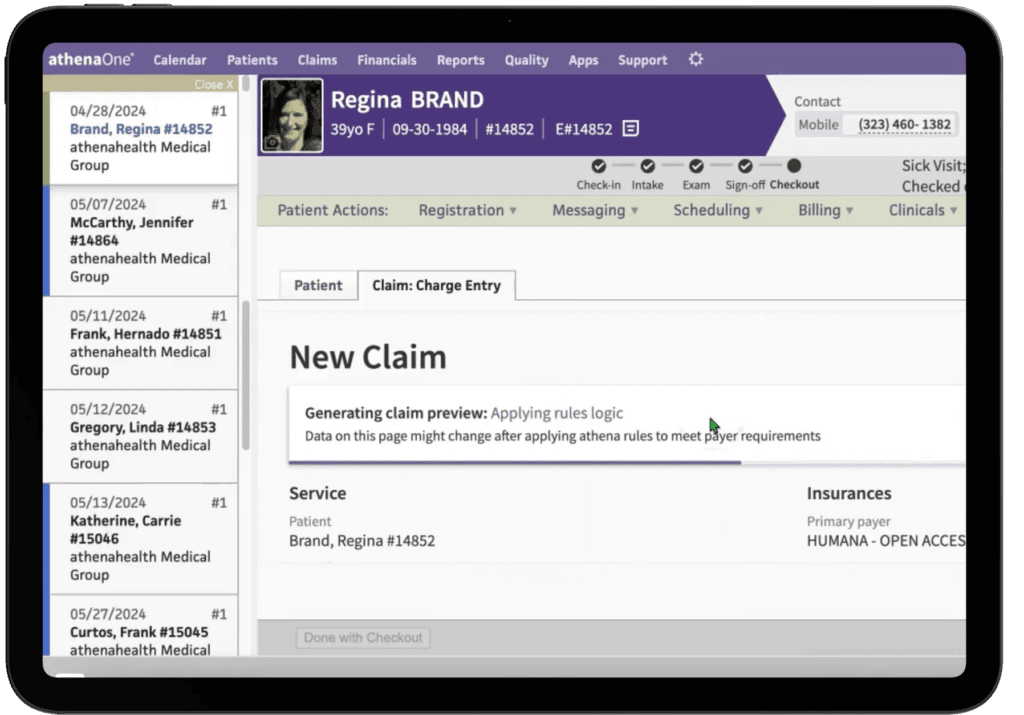
athenahealth brings your clinical and financial workflows into one system, combining EHR, billing, and patient engagement so you’re not managing multiple tools.
Its billing engine is continuously updated with payer rules, helping reduce claim complexity and improve collections over time. Practices using athenahealth have reported increases in collections alongside reduced administrative overhead.
Key Features
- Integrated EHR, billing, and patient engagement platform
- Continuously updated rules engine for claims and billing
- Patient portal for scheduling, payments, and communication
- Workflow customization and specialty-specific configurations
- Network-driven insights from a large provider base
Pros
- Strong end-to-end RCM capabilities in one system
- Improves collections and reduces administrative workload
- Intuitive interface for daily workflows
- Scales well for growing practices
Cons
- Implementation can take several months
- Reporting and customization may be complex
- Costs increase as usage expands
Pricing
Percentage-of-collections model + optional add-ons
Best For
Practices that want a fully integrated system instead of managing multiple tools
3. Waystar
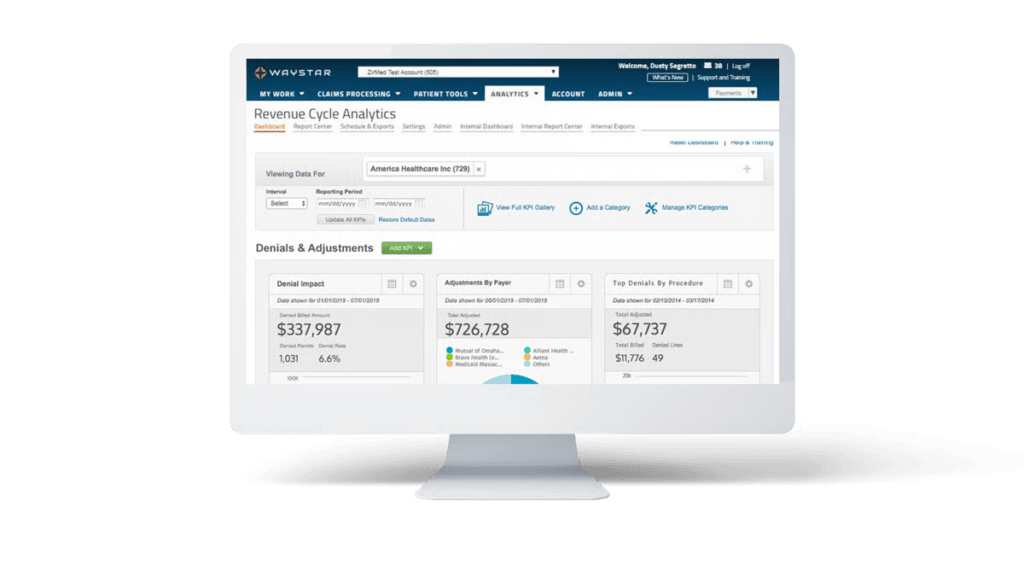
Waystar focuses on the part of RCM where most revenue is won or lost: claims, payments, and payer interactions.
It brings eligibility checks, claim submission, payment tracking, and denial workflows into one place, so teams aren’t jumping between payer portals or disconnected systems. Its AI-driven workflows help reduce errors before submission and speed up reimbursement. Check our Waystar review here.
Key Features
- Claims submission and payer payment management
- Real-time eligibility and claim status tracking
- Denial management and recovery workflows
- AI-powered automation for error reduction and task prioritization
- Analytics and reporting for financial performance
Pros
- Strong clearinghouse and claims management capabilities
- Improves claim accuracy and payment visibility
- Scales well for high-volume operations
- Centralizes payer communication
Cons
- Not a full clinical or practice management system
- Customer support experience can vary
- Requires experience to fully optimize
Pricing
Custom
Best For
Organizations that want tighter control over claims, denials, and payment workflows
4. AdvancedMD
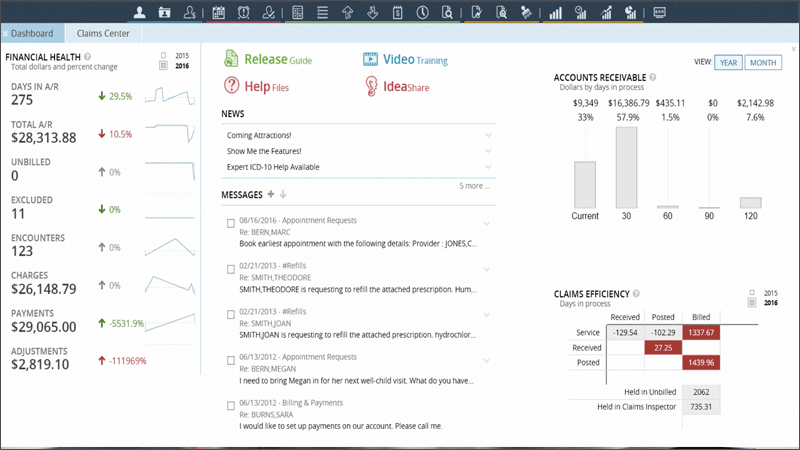
AdvancedMD connects your front office, clinical workflows, and billing into a single system, making it easier to manage everything from scheduling to claims without switching tools.
It’s built with flexibility in mind. You can run billing in-house, outsource it to their RCM team, or switch between both depending on your needs. That makes it a practical option for practices that are growing or adjusting how they handle revenue cycle operations.
Key Features
- Integrated EHR, practice management, and billing system
- Flexible billing options (in-house or outsourced RCM)
- Automated patient intake, eligibility checks, and scheduling
- Charge capture built into clinical workflows
- Reporting and financial analytics tools
Pros
- Flexible billing setup based on your workflow
- Strong reporting and revenue tracking capabilities
- Automates key parts of the patient journey
- Works well for growing practices
Cons
- Onboarding and training can be challenging
- Interface may require multiple steps for some tasks
- Performance depends on proper setup and configuration
Pricing
$130–$1,070 per provider/month (lower for mental health); RCM services typically 4–8% of collections, with billing priced separately.
Best For
Practices that want flexibility in how they manage billing while keeping clinical and operational workflows in one system
5. Office Ally
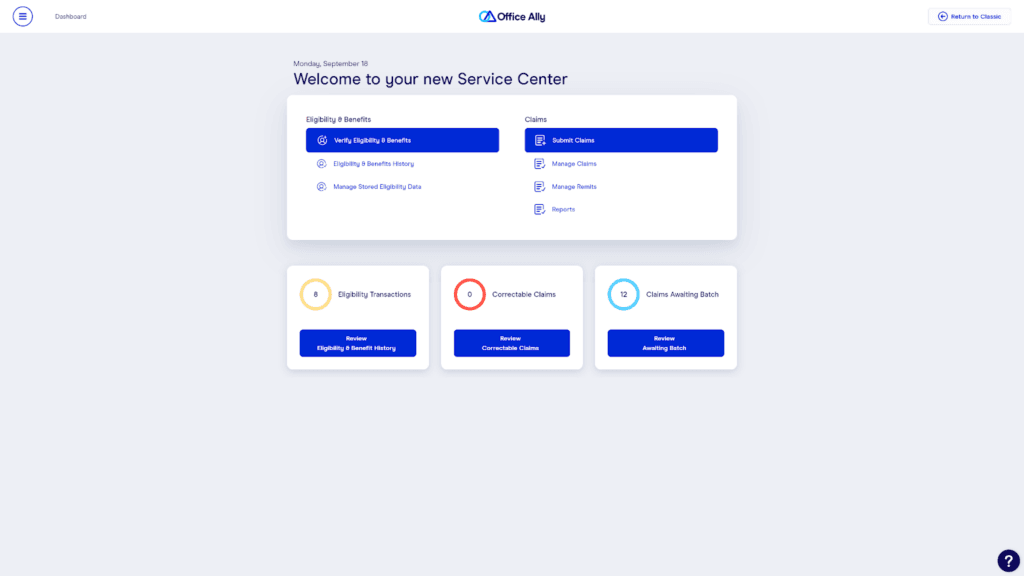
Office Ally keeps things simple by focusing on the core tasks most practices need: eligibility checks, claim submission, payment tracking, and basic reporting.
It’s widely used by smaller practices because it does the job without adding complexity or cost. You can verify patient benefits, submit and correct claims, check statuses, and receive remittance advice all in one place, making day-to-day billing more manageable.
Key Features
- Eligibility and benefits verification
- Claims submission, correction, and status tracking
- Electronic remittance advice (ERA)
- Basic reporting and workflow tools
- Clearinghouse functionality
Pros
- Very easy to use with minimal training
- Reliable for daily billing and insurance tasks
- Free or low-cost entry point
- Quick setup and onboarding
Cons
- Limited advanced features and automation
- Interface may feel dated for some users
- Error handling and explanations can be unclear
Pricing
Free for core clearinghouse services, with optional paid features and EHR 24/7 for $29.95–$44.95/month per provider.
Best For
Small practices or teams looking for a simple, low-cost way to manage billing and claims
6. Availity
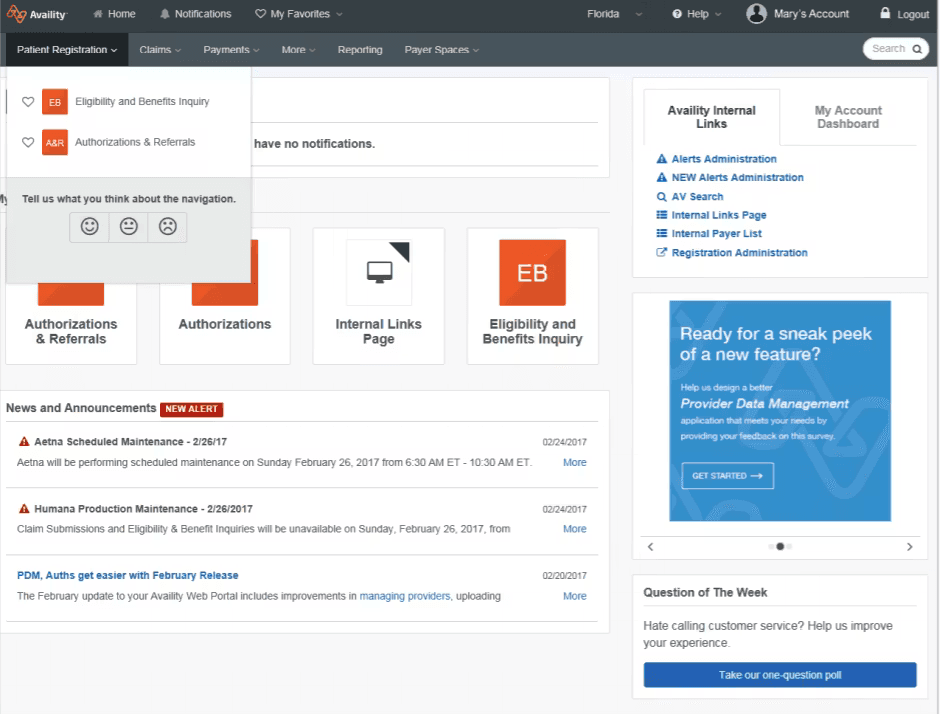
Availity operates as the network layer behind many healthcare transactions, connecting providers, payers, and technology systems in one place.
It gives teams a single access point to check eligibility, manage claims, track payments, and handle authorizations across a wide range of insurers. Its direct payer connectivity helps reduce delays, automate workflows, and keep information flowing between systems more efficiently. Check our Availity review here,
Key features
- Real-time eligibility and benefits verification
- Claims submission, tracking, and status updates
- Prior authorization workflows
- Direct payer connectivity across a large network
- AI-supported automation for claims and denial prevention
Pros
- Centralizes access to multiple payers in one platform
- Reduces the need for separate payer portals
- Strong eligibility and claim visibility tools
- Supports high transaction volumes at scale
Cons
- Functionality can vary by payer
- Not all benefit details are always available
- Less control compared to full standalone RCM systems
Pricing
Free for basic access and transactions; advanced features and integrations may cost extra.
Best For
Practices that want a centralized way to connect with multiple payers and streamline eligibility, claims, and authorization workflows
7. NextGen Healthcare
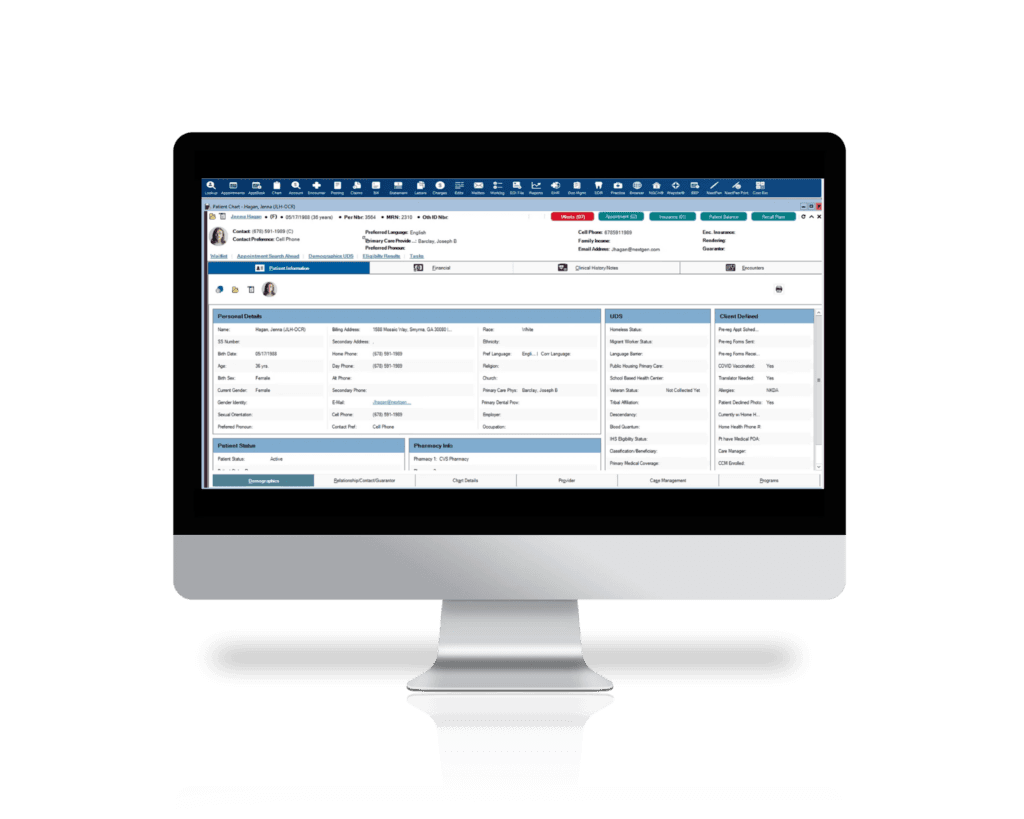
NextGen Healthcare is built to support the full patient journey, from intake and scheduling to billing and follow-up, with configurable templates and workflows tailored to different specialties.
Its revenue cycle tools focus on improving claim resolution speed and reducing denials, while integrated data and automation help teams stay aligned across clinical and financial operations.
Key Features
- Integrated EHR, practice management, and RCM
- Specialty-specific templates and configurable workflows
- AI-assisted documentation and workflow automation
- Revenue cycle tools for claim tracking and denial reduction
- Patient engagement and scheduling tools
Pros
- Highly customizable for different specialties
- Strong reporting and revenue insights
- Supports complex, multi-provider environments
- Improves coordination across clinical and financial workflows
Cons
- Steeper learning curve for new users
- Interface can feel cumbersome with multiple steps
- Implementation and upgrades can be time-consuming
Pricing
Custom (typically subscription-based per provider, with additional costs for implementation, training, and specialty configurations)
Best For
Multi-specialty and enterprise practices that need a structured, customizable system to manage complex workflows.
8. CareCloud
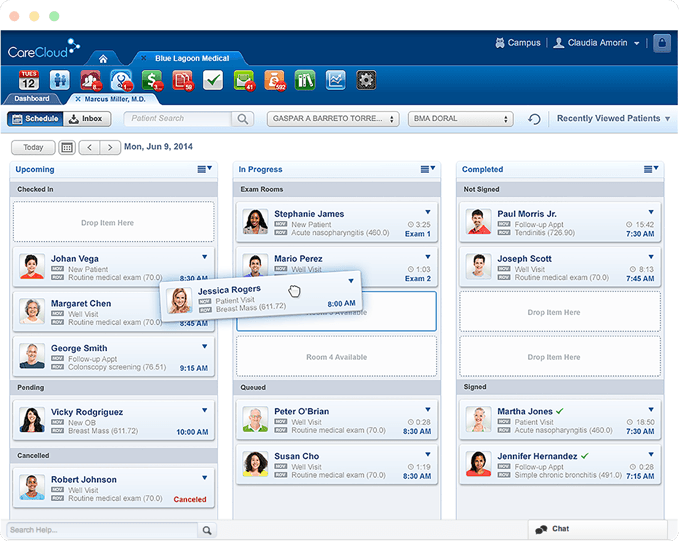
CareCloud focuses on the financial side of the revenue cycle, giving practices clearer visibility into how money flows from patient intake to final payment.
It covers the full billing lifecycle, from eligibility verification and charge capture to claims submission, denial management, and collections, while layering in analytics that show where revenue is being lost or delayed. Its AI-powered tools help detect billing errors early, reduce denials, and improve reimbursement timelines.
Key Features
- End-to-end RCM from patient registration to collections
- AI-powered denial prevention and claims scrubbing
- Automated workflows for billing, coding, and follow-ups
- Real-time financial reporting and performance analytics
- Seamless integration with EHR and practice management systems
Pros
- Strong financial visibility across the revenue cycle
- Helps identify and reduce revenue leakage
- Improves cash flow predictability
- Automates repetitive billing and claims tasks
Cons
- Full value depends on proper setup and data usage
- May be more than needed for very small practices
- Custom pricing can vary based on scope
Pricing
Custom depending on modules and services.
Best For
Practices that want deeper insight into their revenue cycle and better control over collections, denials, and financial performance
9. AKASA
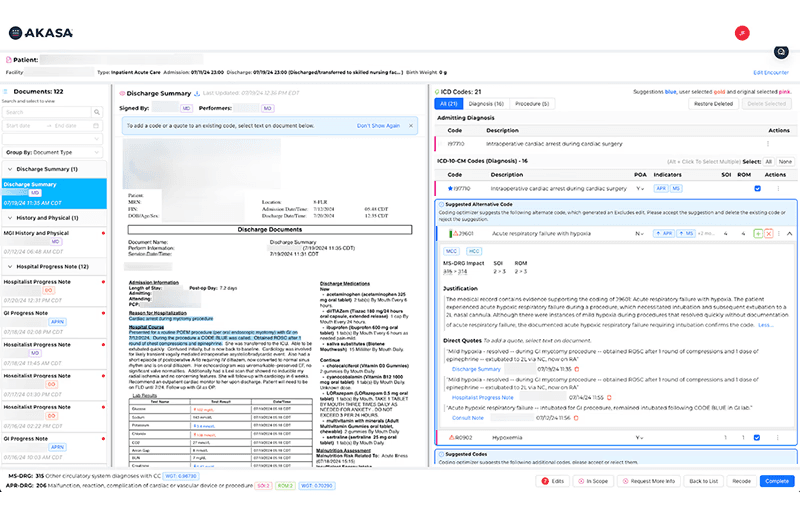
AKASA automates some of the most complex and time-consuming parts of the revenue cycle using generative AI trained on clinical and financial data. Instead of replacing your existing systems, it works behind the scenes to optimize workflows like coding, documentation, claim tracking, and authorization checks
Key Features
- GenAI-powered coding and documentation optimization
- Automated claim and authorization status tracking
- AI assistant for revenue cycle research and workflows
- Pre-bill optimization to reduce errors before submission
- Continuous learning from clinical and financial data
Pros
- Reduces manual workload across the revenue cycle
- Improves coding accuracy and revenue capture
- Helps lower cost-to-collect and A/R days
- Scales well for large health systems
Cons
- Works as a layer on top of existing systems, not a standalone platform
- Best suited for organizations with higher volume and complexity
- Requires integration with current workflows to see full value
Pricing
Custom
Best For
Health systems and large organizations looking to automate RCM workflows and improve efficiency using AI
10. eClinicalWorks
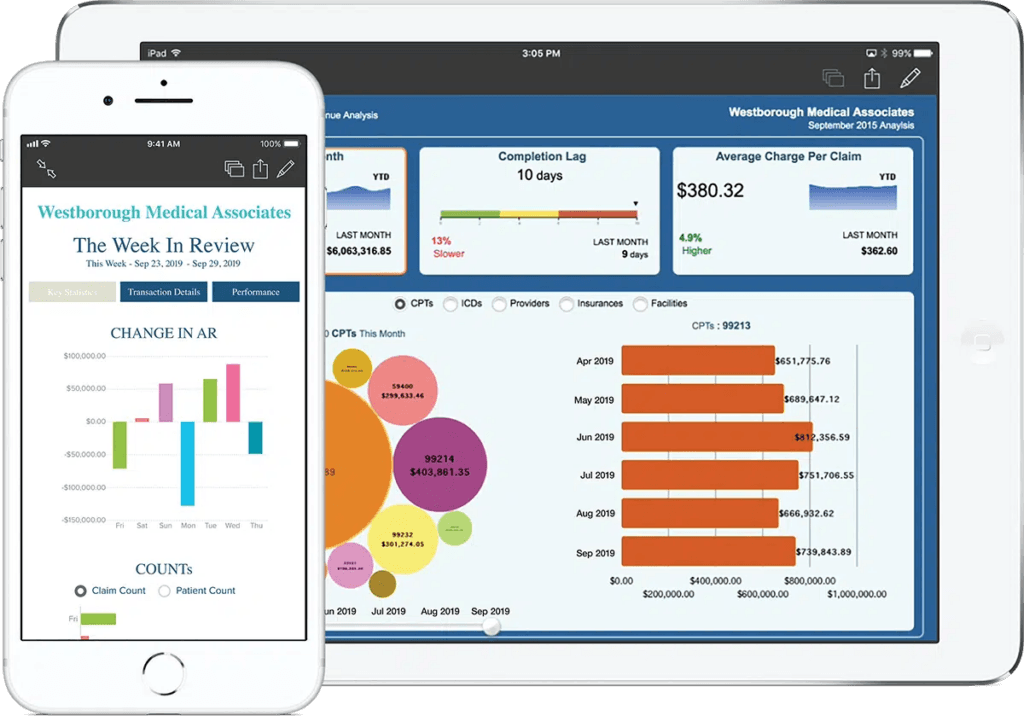
eClinicalWorks gives practices flexibility in how they run their revenue cycle, whether that’s managing billing in-house or outsourcing it as a full-service solution. It combines eligibility checks, claims processing, coding, and collections into one system, with AI-driven features that help automate workflows and reduce manual effort.
Key Features
- Flexible RCM options (self-service or full-service)
- AI-powered claim scrubbing, coding, and workflow automation
- Eligibility verification and real-time claims processing
- Denial management and appeals support
- Financial dashboards and performance tracking tools
Pros
- Covers both clinical and billing workflows in one system
- Flexible setup depending on how you want to manage RCM
- Strong feature set for end-to-end operations
- Generally user-friendly interface
Cons
- Performance can slow with large volumes of data
- Reporting and workflows may require multiple steps
- Costs can add up depending on configuration
Pricing
Typically $449–$599 per provider/month for EHR + practice management, with RCM services as an additional cost
Best For
Practices looking for a flexible, all-in-one system with automation features, but willing to manage some complexity
Find the RCM System That Fits Your Workflow
The right healthcare RCM software comes down to where your revenue cycle is breaking and what needs to be fixed first.
Some practices need stronger claims management. Others need better billing workflows. In many cases, the issue starts earlier, during intake, eligibility checks, and authorization, where small gaps turn into denied claims and lost revenue.
The tools in this list solve different parts of that process.
If your goal is to reduce delays, avoid preventable denials, and improve how patients move from admission to payment, it makes sense to get started with VerifyTreatment here.
Frequently Asked Questions
Should I use RCM software or outsource billing?
It depends on your workflow. If you want control, software is the better option. If you prefer a hands-off approach, outsourcing may make more sense. Some practices also combine both, using tools like VerifyTreatment to handle verification while outsourcing billing.
Can RCM software reduce claim denials?
Yes, especially when it includes eligibility checks, claim scrubbing, and denial management tools. Many denials start from incorrect or incomplete verification, which tools like VerifyTreatment help prevent before submission.
What features should I look for in RCM software?
Focus on what solves your biggest issue. Common features include eligibility verification, claims management, denial tracking, reporting, and automation. If your challenges start at intake, tools like VerifyTreatment can help address that early stage.
Is RCM software only for large healthcare organizations?
No. There are options for all sizes. Smaller practices may prefer simpler tools like Office Ally, while larger organizations use platforms like Waystar or AKASA. Tools like VerifyTreatment fit in where verification and intake workflows need improvement.
Front-End Optimization
Stop billing errors before they start.
Most RCM software fixes denials after they happen. VerifyTreatment stops them at intake by automating real-time eligibility and coverage verification.
Schedule a workflow audit to see how we catch the verification gaps that other RCM systems miss.
Disclaimer: All trademarks, logos, and brand names are the property of their respective owners. The use of any third-party trademarks, logos, or brand names in this article is for informational and comparative purposes only, and constitutes nominative fair use. This article was published by VerifyTreatment, and while we strive for objective comparisons, VerifyTreatment is included as an option within this list.

Luis Perdomo, Head of Growth, leads go-to-market strategy, demand generation, and growth initiatives at VerifyTreatment. With a background spanning digital marketing, revenue growth, and business strategy, he focuses on connecting the platform’s capabilities to the real operational challenges facing behavioral health providers, helping teams improve admissions, strengthen revenue performance, and make faster, more informed decisions.
Meet the TeamRelated post:
 Admissions
VOB in Medical Billing: Process, Best Practices & Challenges
Before you bill for a patient’s care, you must know what their insurance will actually cover. That means checking their...
Read the full article → Admissions
Automated Prior Authorization: How Automation Improves the Process
Automated prior authorization helps healthcare teams catch payer requirements earlier, reduce repetitive administrative...
Read the full article → Admissions
How to Verify Insurance Eligibility in Real Time and Why It Matters
Real-time insurance eligibility verification helps healthcare providers confirm coverage and benefits faster, reduce man...
Read the full article →